Table of Contents
Tags are one of the most powerful ways to turn your trade history into real, actionable knowledge. They let you categorize trades exactly how your brain works - then give you instant reports and comparisons on those categories. No spreadsheets needed. No manual counting. Just tag once, and the insights flow forever.
What Are Tag Groups & Tags?
Tag Groups are your buckets - custom categories you create to group similar ideas. Most traders start with groups like:
- Strategies
- Setups
- Mistakes
- Emotional State
- Market Feeling
- Time of Day
- Position Size
You can create as many groups as your membership allows, for anything that influences your decisions.
Inside each group, you add custom tags. Each tag has:
- A title (e.g.
Breakout,Gap-N-Go,Revenge,Confident) - An optional description for quick reference
Simple, flexible, and completely yours.
How Tags Become Useful
- Connect tags to trades Open any trade → go to the tags section → select the group(s) and tag(s) that fit → save. One trade can have tags from multiple groups (e.g.
Breakoutstrategy,Confidentemotion, etc.).
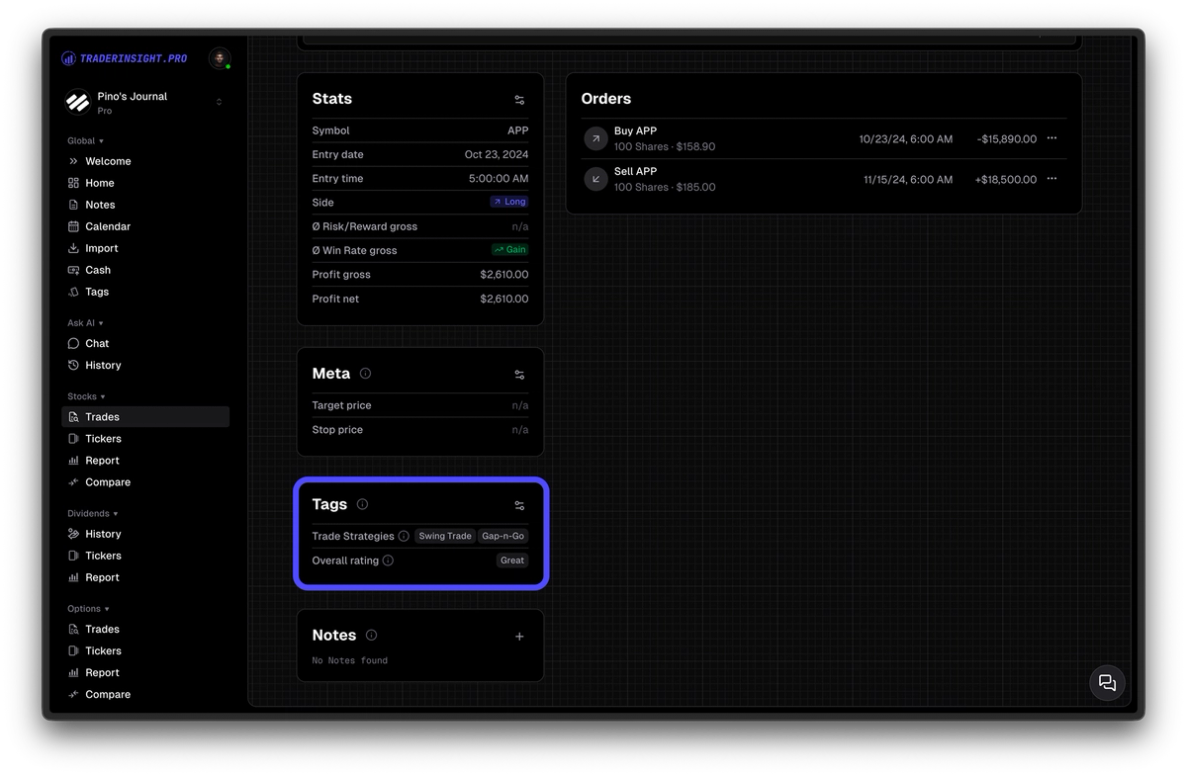
- Create filters based on tags In the Trades tab, open the filter menu → filter by tag group or specific tag. Save the filter - it instantly becomes a Performance Report (see the Performance Reports guide for details).
- Get dedicated performance reports per tag & group In the Reports section, every saved tag-based filter appears as its own report - with charts, KPIs, stats. Customize them like any report: toggle KPIs, rearrange, change charts.
- Compare tags & groups head-to-head Go to Compare → select two tag-based filters (e.g. "Confident" vs "Anxious", or "Breakout" vs "Mean-Reversion") → generate a side-by-side report. See exactly which one wins on win rate, profit factor, drawdown - proof of what to keep or kill. Full details in the Comparison Reports guide.
Built-in Reporting Inside Tags & Groups
You don't even need to create filters first. Go to the Tags section:
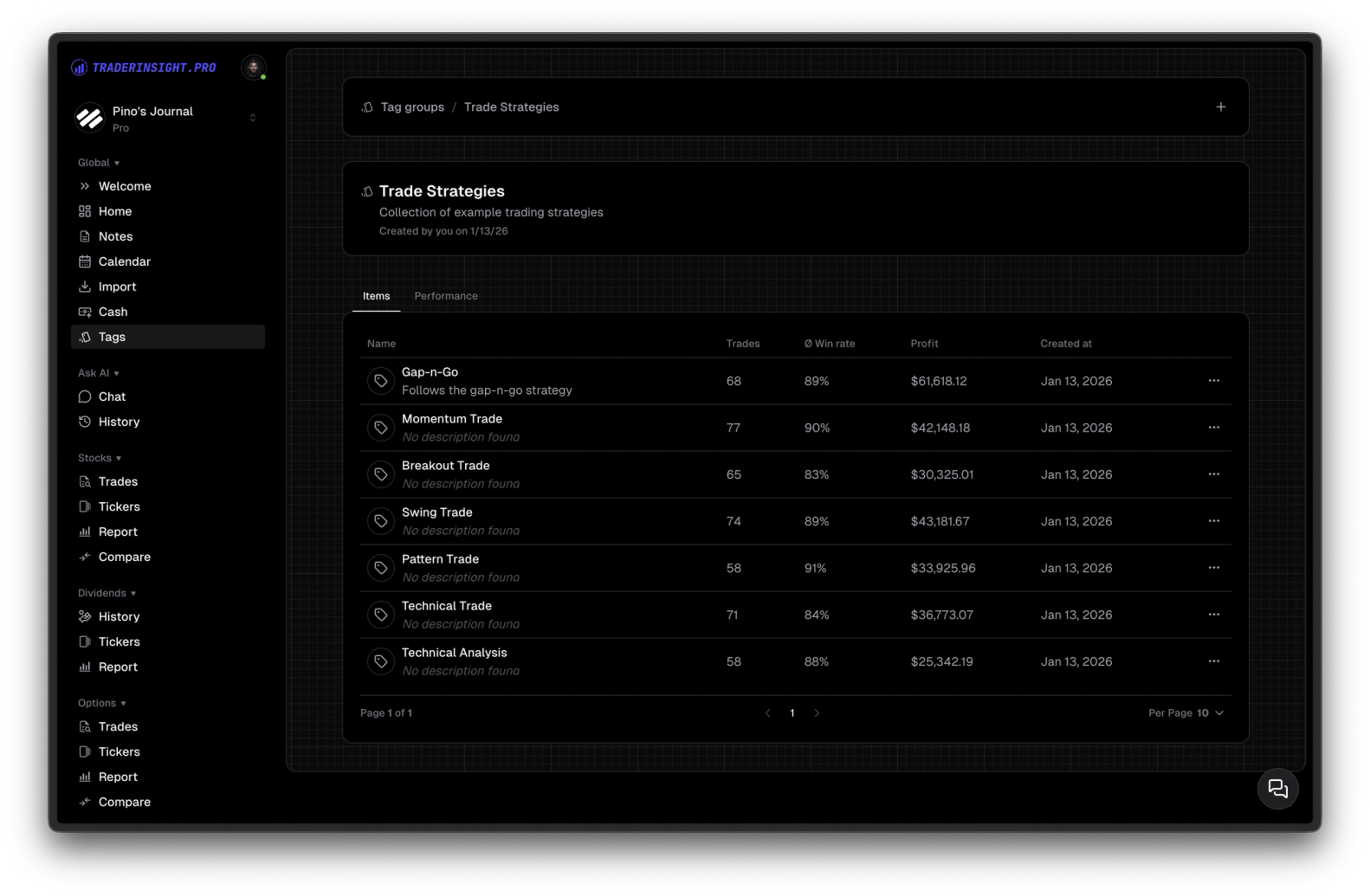
- Click any tag group → see high-level KPIs for all connected trades in that group
- Each individual tag inside the group shows its own stats: average win rate, connected trade count, total net/gross profit, etc.
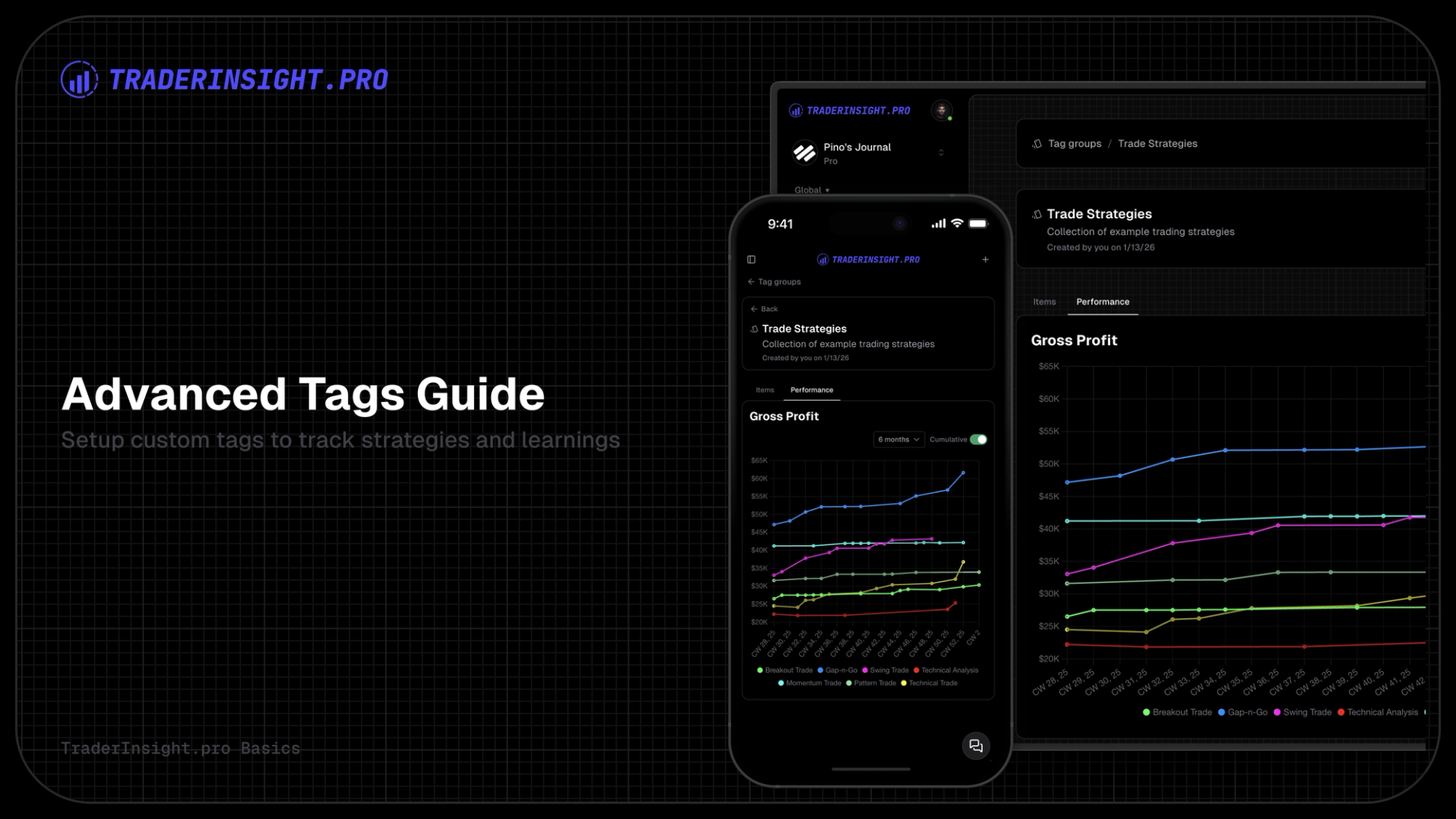
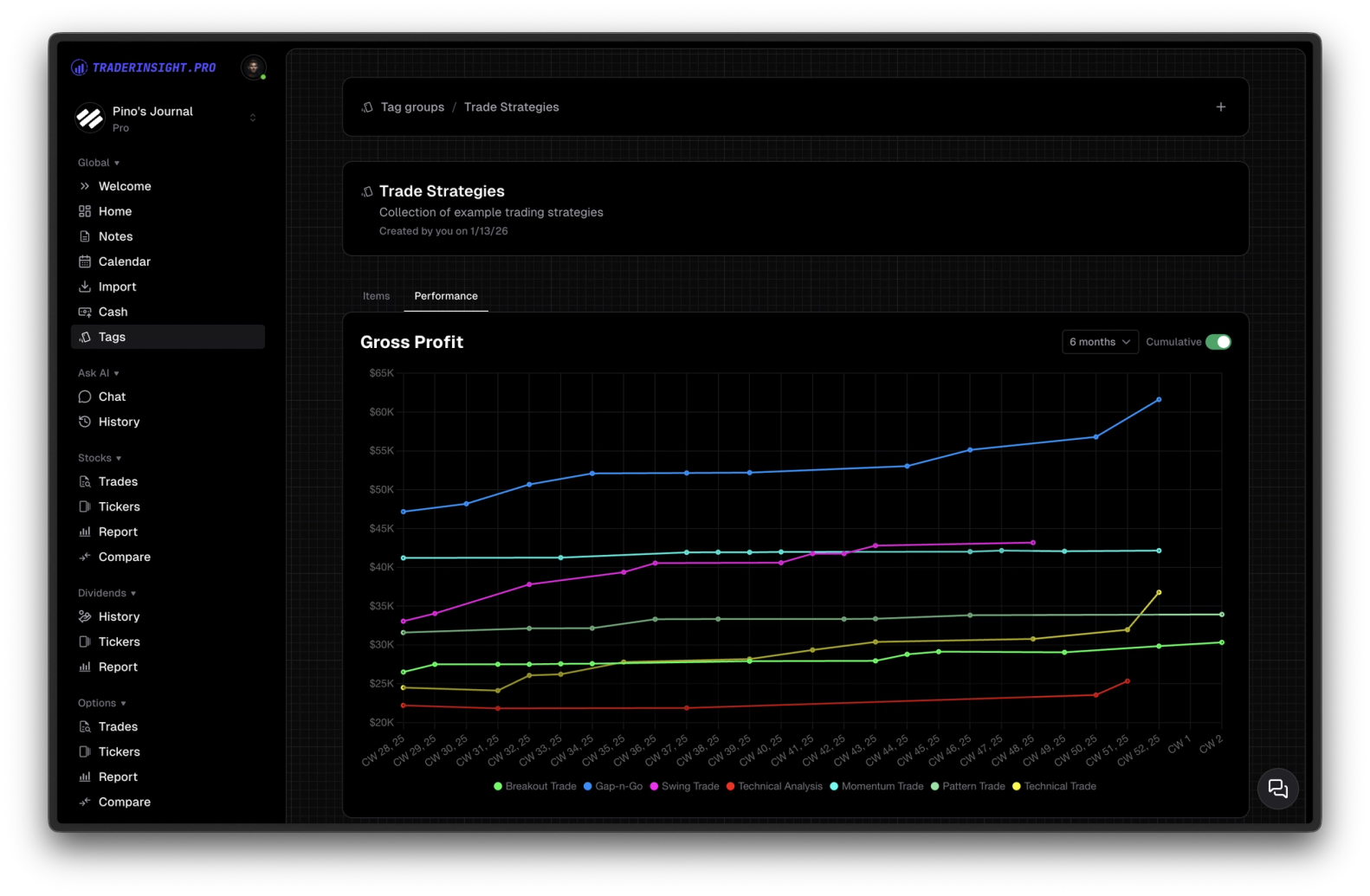
Switch to the Performance tab in a group:
- View total and cumulative profit across every tag in the group
- Choose timeframes: last 6 months, last 12 months, all-time, etc.
- Visual charts show how each tag performs over time
This is instant visibility without extra setup - pure, at-a-glance insight into what drives your results. Read more about the reporting here.
Why Tags Change Everything
Tags give you organization + reporting in one seamless system. Tag a trade once → get automatic stats, filters, reports, and comparisons. You spot patterns (good and bad) faster, refine strategies with data, not hope, and build discipline around what actually works.
Head to the Tags section in your account. Create a group (e.g. Strategies), add a few tags, connect them to recent trades, and watch the numbers appear.
The moment you see your Confident trades outperforming the rest - or your biggest mistake costing 3x more - you'll understand why tags are core to TraderInsight.pro.
Start tagging today. Your edge is in the details.