Table of Contents
How to Import Your Trades 101
Getting your trades into TraderInsight.pro is the very first step - and we've tried to make it as simple as possible. Here's everything you need to know.
1. What Can I Import?
TraderInsight.pro supports all the major asset classes:
Stocks, Forex & Crypto are grouped together in the sidebar under the Stocks group. Futures and Options each have their own dedicated group. Dividends and Cash transactions are also tracked separately - so everything lands exactly where you'd expect it.
We support a large and growing list of brokers and platforms.
Don't see yours yet? No problem - we add new brokers daily. Simply click Request Broker, fill in the short form, and our team gets to work right away. You'll receive an email confirmation once your broker is live, typically within a few hours (and no longer than 24–48 hours in any case).
2. How Do I Import?
Option A - Auto Sync (Recommended)
With auto sync imports you setup a connection once and your journal imports your trades in realtime from your trading platform or your broker directly.
This is the most automated way to import trades.
You can find setup guides for the most common auto sync providers in your journal settings under Data Sources.
Option B - Drag & Drop
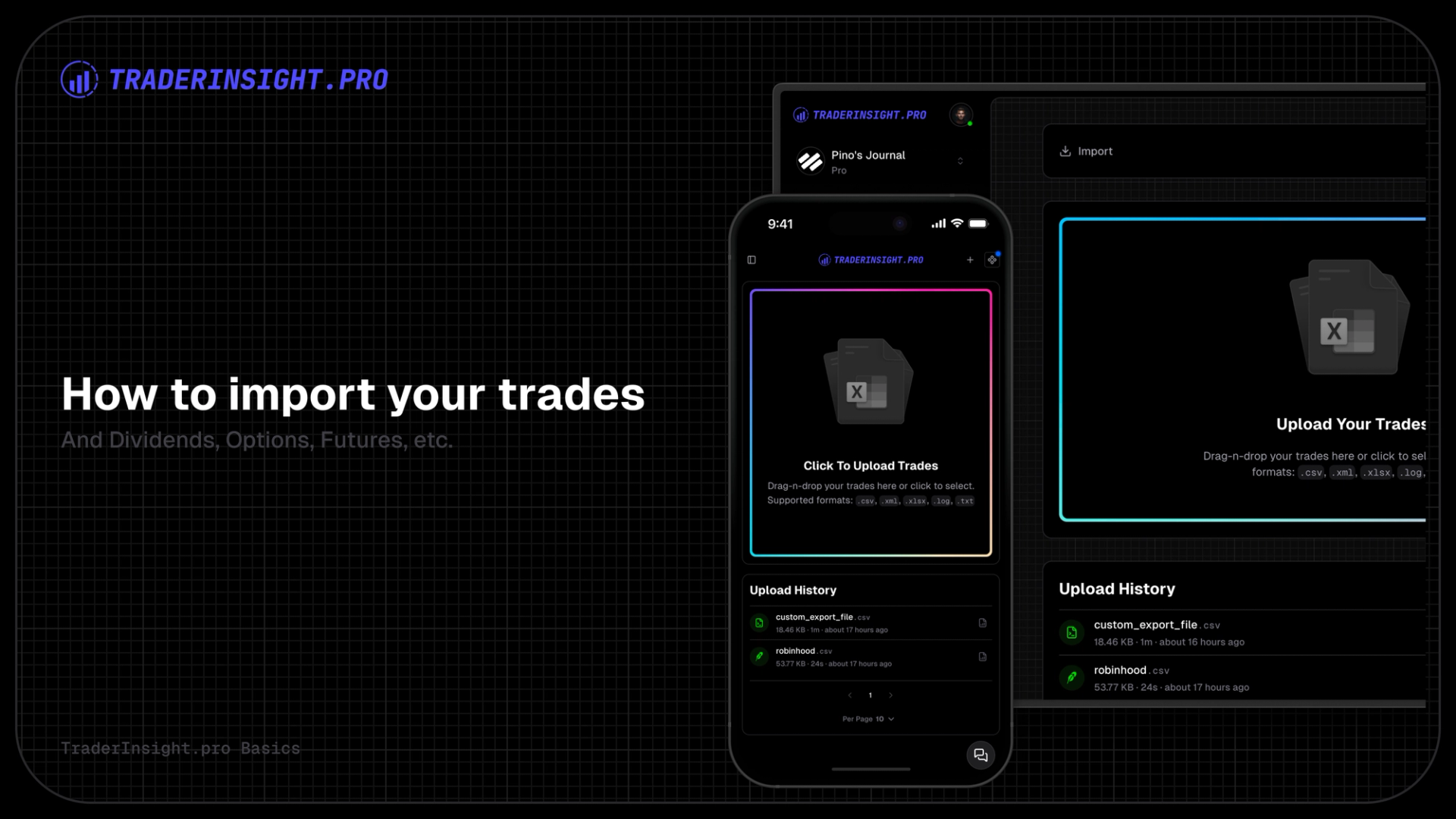
Head to the Import page, export your trade/order history from your broker or platform, then simply drag and drop the file onto the import block. TraderInsight.pro takes it from there - automatically extracting your trades, dividends, cash transactions, and more. No extra steps needed.
Once your import is processed, click the report icon next to your upload to see a full summary of exactly what was imported.
You don’t have to select your broker, just drag and drop your trades into the upload box and it will work.
Option C - Manual Entry
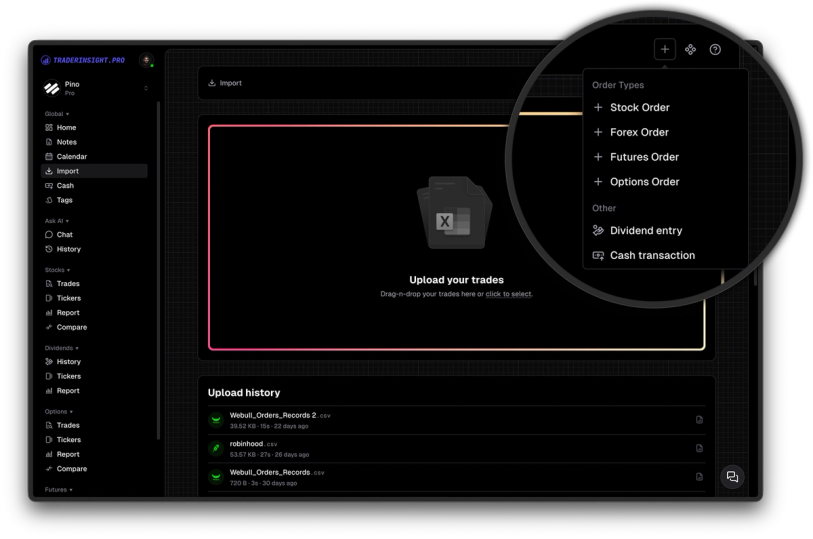
Need to add a trade quickly, make a correction, or log something not covered by an export? You can add orders manually at any time via the menu in the top-right corner - available for every asset type.
Option D - Custom Import Templates
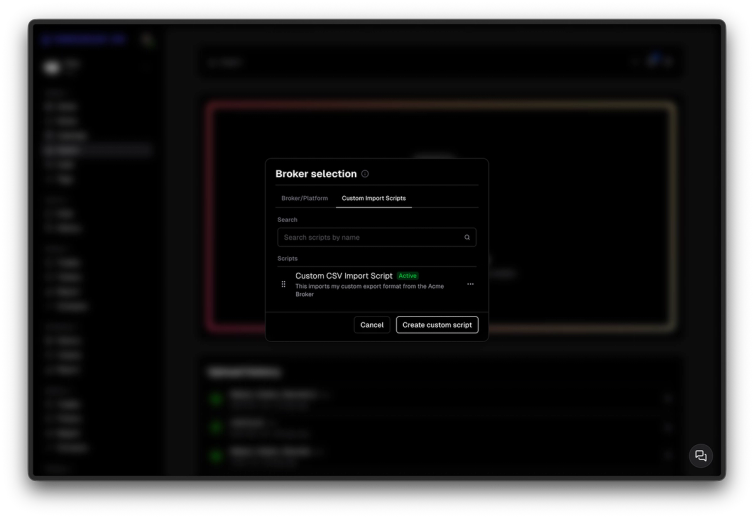
Trading on a platform with a non-standard export format? You can build a custom import template in a few steps:
- Click on the icon in the top right corner with the 3 dots (right next to the “+”)
- Select “Custom import scripts” and click on “Create custom script”
- Upload your CSV (it just needs a proper header row)
- Map your columns to the matching fields in TraderInsight.pro (e.g. map “Exe Time” to TraderInsight.pro’s “Time” field, etc.)
- Set the correct timestamp format
- Preview the results, confirm everything looks right, and save
Once saved, reuse your template anytime - just select it and drop in a new file. Fast and repeatable for bulk imports.
3. I've Imported My Data - Now What?
Now the fun begins.
Start by checking your import report (the small icon next to your upload) to confirm everything came in correctly.
Next, tag your trades in bulk using the bulk trade tag editor. Tags are the foundation of everything powerful in TraderInsight.pro - they let you slice and dice your data by strategy, setup, session, or whatever matters to you. Once tagged, you can run detailed reports and comparisons to start understanding exactly what's working in your trading. New to tagging? Read our guide on how tags work →
Want to go deeper? Check out our AI-powered insights to chat with your data in plain English, or explore the calendar view to spot your most profitable days and sessions.
Need Help or Have a Request?
If you run into anything, we're here. Submit a broker or feature request - we typically respond fast and new brokers are often live within an hour.
Happy journaling! 🚀