Table of Contents
Keeping a clean, accurate trading journal gets exponentially harder once you trade across brokers, markets, and currencies. Today, we’re excited to announce two major upgrades to TraderInsight.pro that remove friction, reduce confusion, and give you deeper clarity into every single trade.
Whether you trade U.S. stocks in USD, European equities in EUR, or international instruments in CAD - your journal now reflects reality, not assumptions.
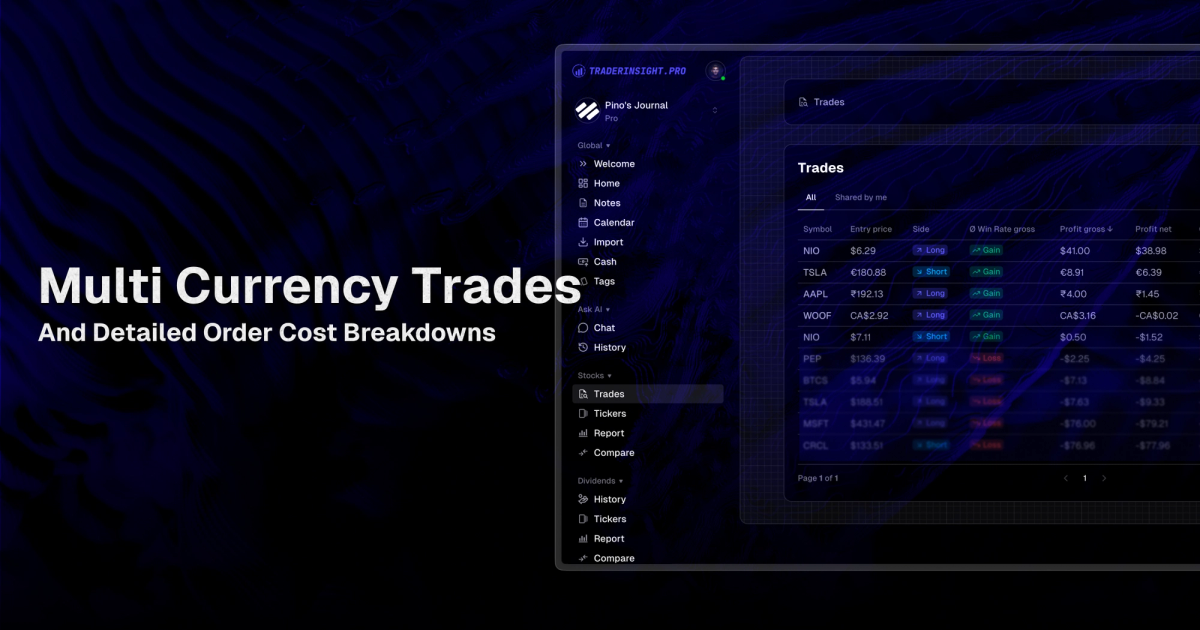
New Feature: True Multi-Currency Support Per Trade
How it worked before
Until now, journals used a single preferred display currency, configurable in your journal settings. This worked well for many traders, but it meant all trades were normalized visually - even if the broker actually executed them in different currencies.
That setting still exists and plays an important role.
How it works now
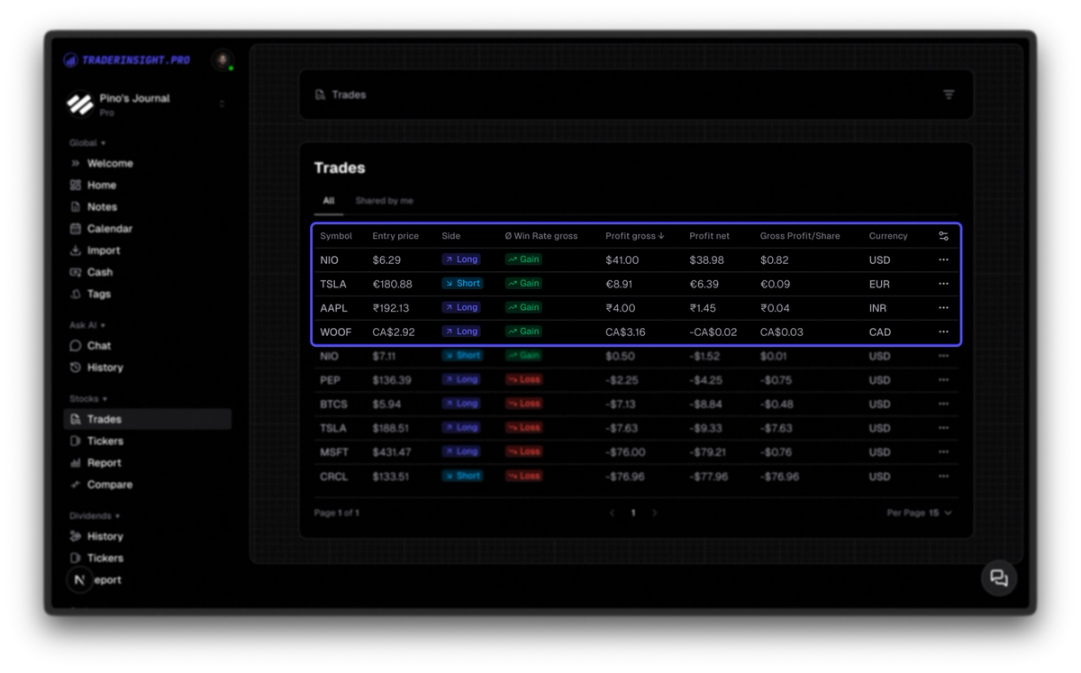
TraderInsight now detects and preserves the original currency for each order and trade when your broker exports it.
That means:
- One trade can be in USD
- Another trade in EUR
- Another in CAD
- All inside the same journal
Each trade is displayed in its true native currency, exactly as executed by your broker.
Smart fallback
- Your journal currency is still used as a default fallback
- If a broker export does not include a currency field, we use your journal setting
- You can manually change the currency later by simply editing the order or trade
This keeps imports seamless while still allowing full control.
Reporting with Multiple Currencies
For now, reports still default to your journal currency to keep aggregates clean and consistent.
But if you want to create a performance or comparison report for one or more specific currencies then you can simply create a custom filter for trades of a certain currency:
- Add a custom filter like
currency = EUR - Generate reports that only include trades in a specific currency
- Analyze performance per currency, without mixing results
This gives you full analytical freedom today - and sets the foundation for even more advanced reporting later.
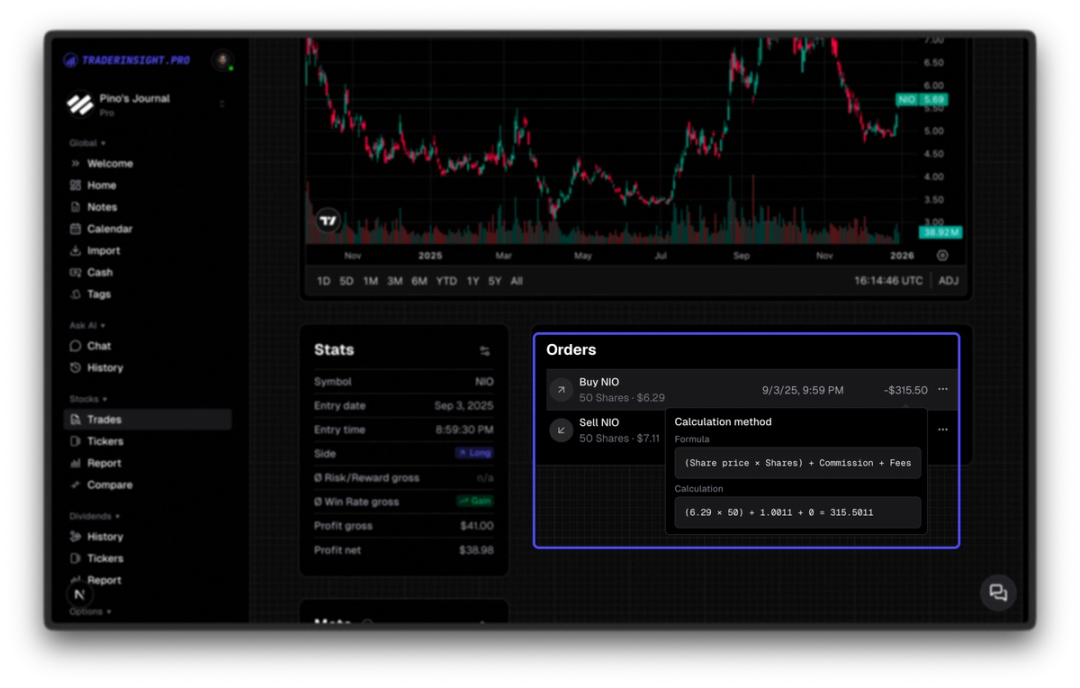
Major Improvement: Cost Explainers on Every Trade
Understanding what you actually paid for a trade shouldn’t require digging through stats panels.
What changed?
Previously:
- Fees and costs existed, but lived mostly inside trade statistics
Now:
- Every trade shows a cost explainer
- You can hover or click directly on the cost field
- You instantly see:
- Which fees applied
- How they were calculated
- What you actually paid in total
No guessing. No hidden numbers. No context switching.
Why This Matters
These upgrades solve two common journaling pain points:
- Accuracy across global trading
- No more pretending all trades happened in one currency
- Immediate cost transparency
- Fees are visible where decisions are reviewed - not buried elsewhere
Together, they make your journal:
- More realistic
- More trustworthy
- Easier to review
- Better for long-term improvement
Summary
What’s new:
- ✔️ True multi-currency trades inside a single journal
- ✔️ Smart currency fallback via journal settings
- ✔️ Currency-based filtering for reports
- ✔️ Inline cost explainers on every trade
If you trade across markets or care deeply about execution details, these updates were built for you.
Happy journaling - and even better trading.