Table of Contents
Pepperstone built its reputation on execution quality: raw spreads, fast fills, access to MT4, MT5, and cTrader. Traders choose it because execution matters. But if you're trading forex seriously, execution is only part of the game. The other part - understanding which pairs you actually trade well, which sessions produce consistent results, and whether your strategy has a genuine expectancy across hundreds of trades - happens off the platform.
TraderInsight.pro is where that analysis lives. Import your Pepperstone history via MT4, MT5, or cTrader and get performance reports that break down performance by instrument, session, and strategy; a P&L calendar that surfaces timing patterns; and AI analysis that answers questions about your trading in plain English.
For forex traders especially, the combination of session-level performance data and structured journaling produces the kind of self-knowledge that spreadsheets and platform logs can't replicate.
Why Pepperstone traders use TraderInsight.pro
Forex is a consistency problem before it's a strategy problem. A platform like Pepperstone tells you what filled and at what price. It doesn't tell you that your EUR/USD trades win at 58% but your GBP/JPY trades lose at 63%, or that the London open session produces three times the profit per trade compared to your late New York session entries.
Those patterns exist in your data. Surfacing them requires tagging, filtering, and reporting - the kind of structured review that a proper trading journal enables. Once you see the patterns, you can act on them. Until then, you're repeating mistakes that feel different each time.
What does TraderInsight.pro support from Pepperstone?
TraderInsight.pro supports Pepperstone exports from MT4, MT5, and cTrader. Forex is the primary asset class, and the platform also handles crypto and indices where Pepperstone offers them - more asset types are added regularly.
How to export from Pepperstone
MetaTrader 4 (MT4)
- Open MT4 and log into your Pepperstone account.
- Press Ctrl+T to open the Terminal panel, then click the Account History tab.
- Right-click anywhere in the history list. Select All History to ensure the full date range is shown.
- Right-click again and choose Save as Detailed Report. Save the file - it exports as HTML, which can be opened in Excel and saved as CSV if needed.
MetaTrader 5 (MT5)
TraderInsight.pro supports MT5 imports directly. Follow the full steps in the MetaTrader 5 import guide for the cleanest export process. In short:
- Open MT5 and go to View → Terminal → History tab.
- Right-click in the history panel, select Report, and save as XML or HTML.
cTrader
- Log into cTrader with your Pepperstone credentials.
- Open the History tab in the bottom panel.
- Right-click on the history entries and select Export to CSV.
- Choose your date range and save the file.
How to import into TraderInsight.pro
- Go to the Import page.
- Drag and drop your exported file - MT4 report, MT5 XML/HTML, or cTrader CSV.
- TraderInsight.pro detects the format automatically.
How to use your Pepperstone data to improve
How to find which forex pairs you trade consistently well
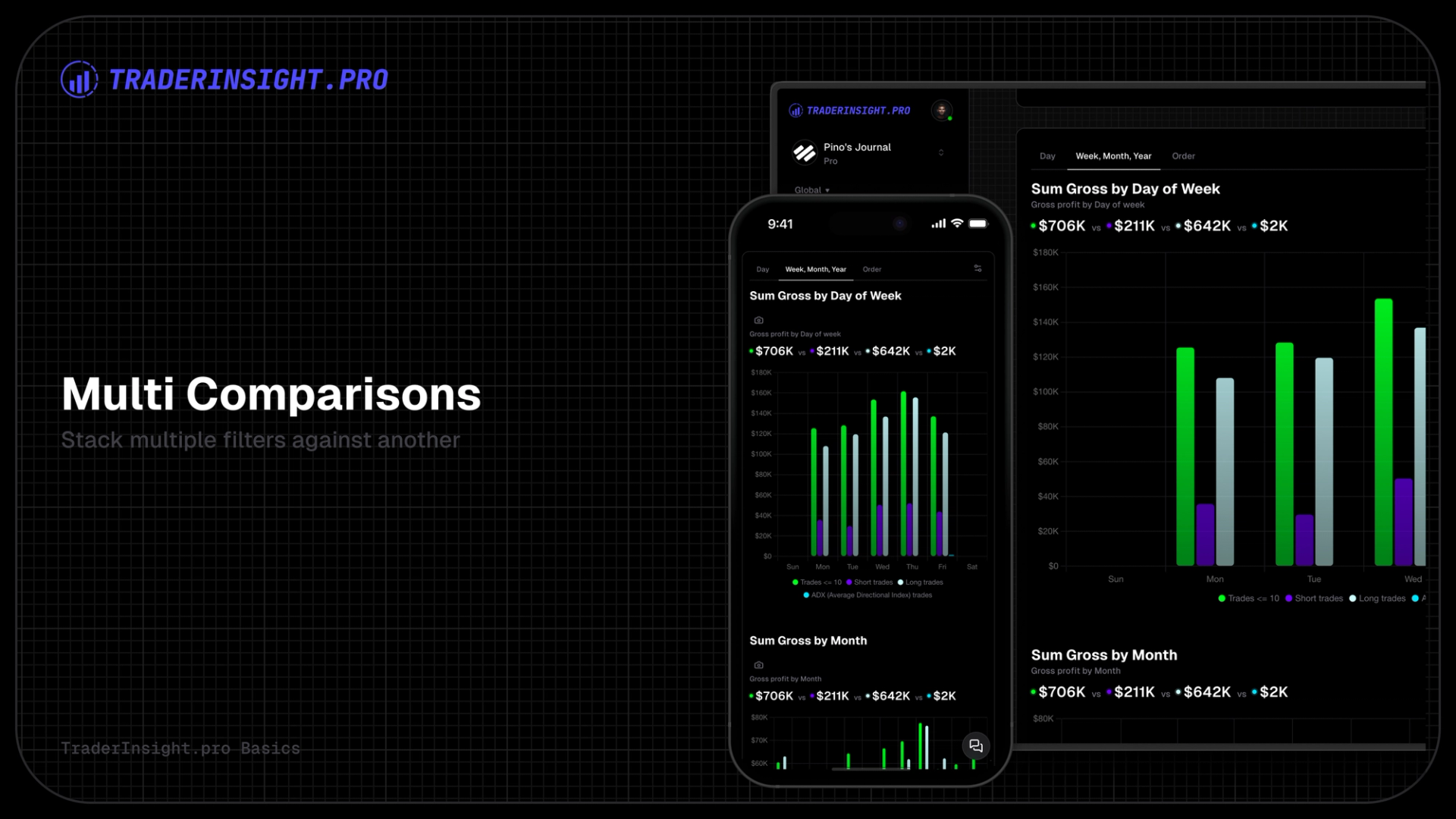
Use strategy tags to label trades by pair, pair group (majors, crosses, exotics), and setup type. Then run performance reports filtered to each group. The comparison report lets you stack EUR/USD performance against GBP/JPY - or any two pair groups - and see the truth in the numbers. Most forex traders discover a clear performance split that changes how they allocate their attention.
How to identify which sessions produce your best results
Tag trades by session - London open, NY open, London-NY overlap, Asian session. Compare P&L and win rate across sessions using performance reports. For Pepperstone traders who are active across multiple sessions, this data cut is often the most actionable insight in the entire journal: most traders have a strong session and a weak one, and the split is rarely where they expect it.
How to understand your true expectancy across hundreds of trades
The P&L calendar gives you a visual overview of daily and weekly performance. Combined with session tags and pair tags, it surfaces the consistency patterns that determine whether a strategy is genuinely profitable or just intermittently lucky. True expectancy requires a large sample - and TraderInsight.pro makes it visible once you have one.
How to ask AI what your Pepperstone data is telling you
AI analysis answers plain-English questions about your trade history - "What's my average R:R on GBP/JPY trades?" or "Which session produced the most profit last month?" - using your real Pepperstone data. No spreadsheets required, no pivot tables to build.
How to document your forex setup reasoning and review it later
Trade notes in TraderInsight.pro let you attach written context, entry thesis, and post-trade review directly to each position. For forex traders managing multiple currency pairs simultaneously, notes that document your reasoning at entry become invaluable during the review process - especially on trades where the outcome was unexpected.
Mobile access
The TraderInsight.pro mobile app gives full feature parity on iOS and Android - same reports, tags, notes, and AI as desktop. Review your Pepperstone sessions from anywhere.
Frequently Asked Questions
What is the best trading journal for Pepperstone?
TraderInsight.pro. Import via MT4, MT5, or cTrader export, and your full Pepperstone history is live instantly - ready for performance reports, AI analysis, strategy tags, and a P&L calendar built around your forex data.
Does TraderInsight.pro support Pepperstone?
Yes. MT4, MT5, and cTrader exports from Pepperstone are all supported. Drop your file on the import page and it's recognized automatically.
How do I import my Pepperstone MT5 trades?
Follow the full MT5 import guide. In short: go to View → Terminal → History, right-click, select Report, and save as XML or HTML.
What forex pairs does TraderInsight.pro support from Pepperstone?
All forex pairs available in Pepperstone exports are supported - majors, crosses, and exotics. Crypto and indices are also supported where they appear in Pepperstone exports.
Can I analyze my Pepperstone performance by trading session?
Yes. Tag trades by session in TraderInsight.pro's tagging system and run performance reports filtered to each session. The comparison report lets you stack sessions side by side.
Can I use AI to analyze my Pepperstone data?
Yes. AI analysis answers plain-English questions about your Pepperstone trade history - pair performance, session results, R:R by setup, and more.
Is there a mobile app?
Yes. The TraderInsight.pro mobile app has full feature parity on iOS and Android.