Table of Contents
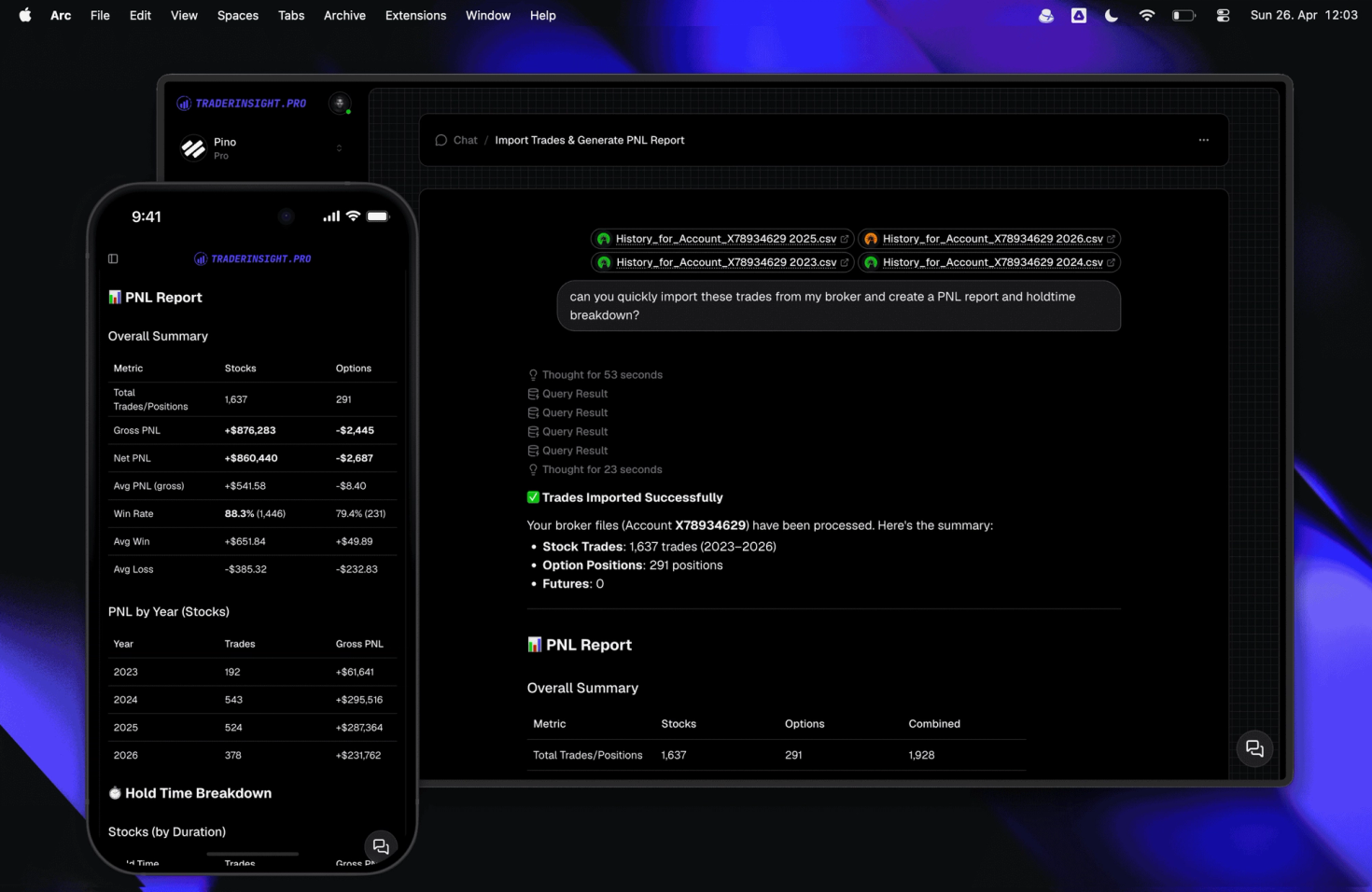
You can now import trades straight from AI chat on TraderInsight.pro. Drop a file into the conversation, and your trades are parsed and added to your journal instantly, no separate import screen required.
Alongside this, we've refreshed parts of the interface across the AI experience and moved to simpler, faster models for your everyday questions and analysis.
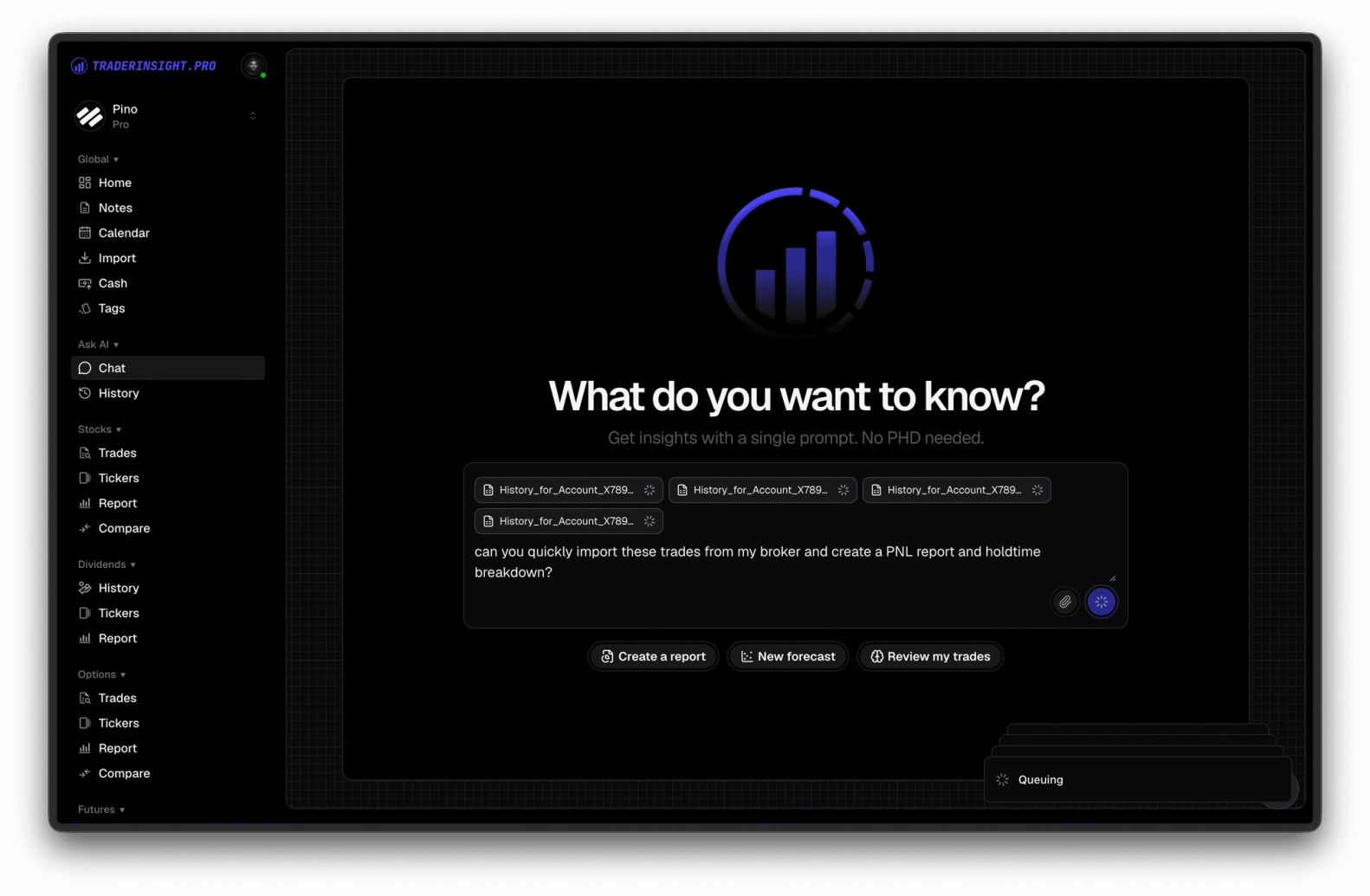
Import trades without leaving the chat
Drag a broker export, CSV, or trade log directly into your conversation with the AI and your trades are recognized and added to your journal automatically. There's no broker selection step and no manual reformatting. Once imported, your trades are immediately available across stocks, options, futures, forex, crypto, dividends, and more.
This also means you can go from "here's my file" to "what does this tell me" in a single conversation. Import your trades, then immediately ask the AI to break down your win rate, flag your worst sessions, or compare strategies, no switching screens, no re-uploading.
A smoother, refreshed chat experience
We've updated smaller pieces of the AI interface throughout the chat experience: cleaner formatting for trade summaries, tighter integration with tags and notes, and a layout built for back-and-forth analysis rather than one-off answers.
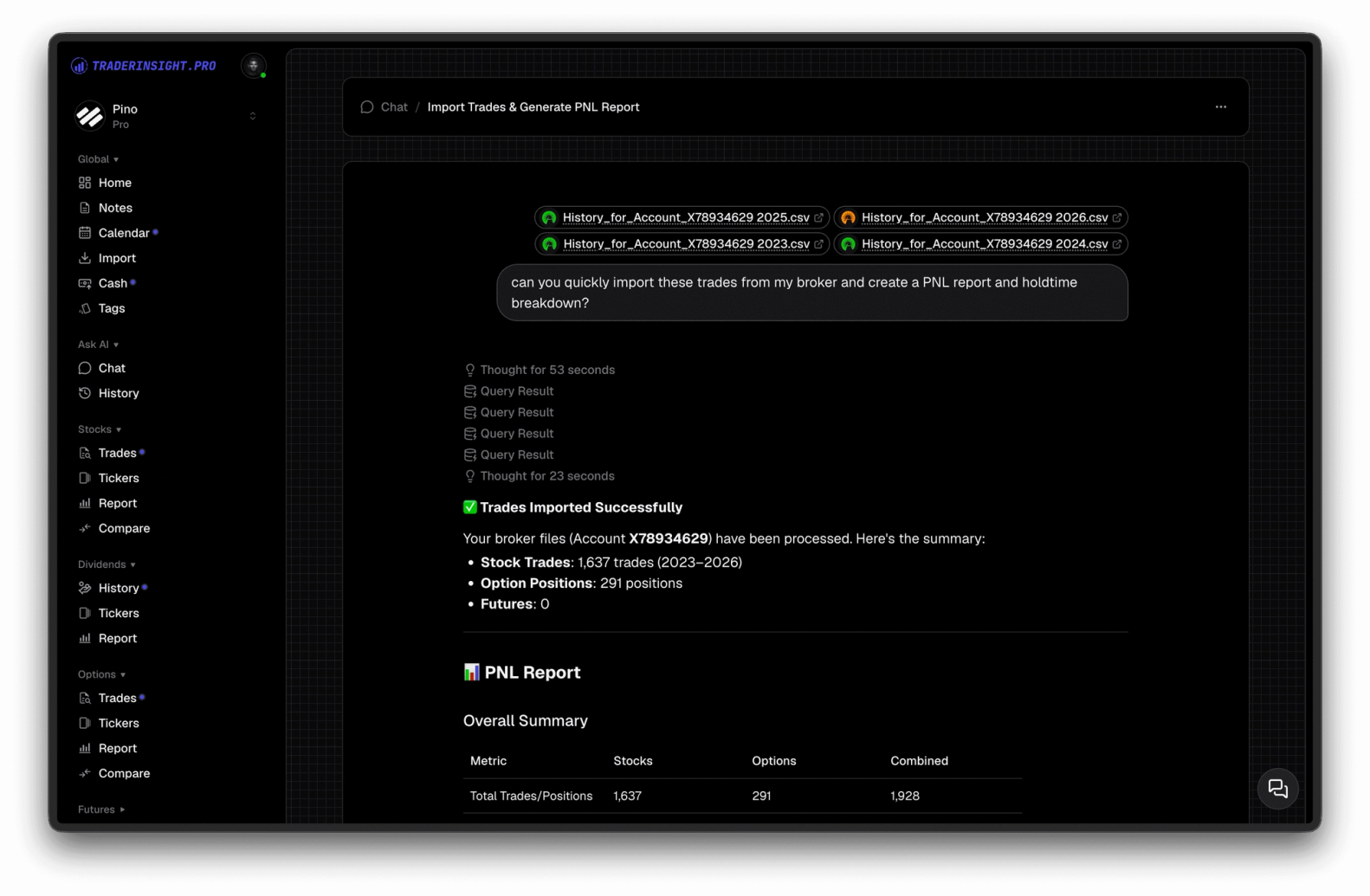
Simpler, faster, better models
The models powering your AI conversations have been upgraded to be simpler, faster, and more capable. That means quicker responses when you ask about your performance, more accurate reads on your trading patterns, and less waiting between question and answer, so analyzing a session's worth of trades feels as fast as the trading itself.
Try it now
Open your journal, start a chat, and drop in your latest trade file. Explore the full AI analysis feature set, or get your trading journal if you're just getting started.