Table of Contents
The real power of journaling isn’t just storing trades - it’s remembering why you took them, what you felt, and what you learned. Notes turn scattered thoughts into repeatable advantage. In TraderInsight.pro, notes are built for traders: as capable as Notion or Evernote, cleaner than Apple Notes, and deeply integrated so your insights stay exactly where they matter.
Everything Lives in One Place
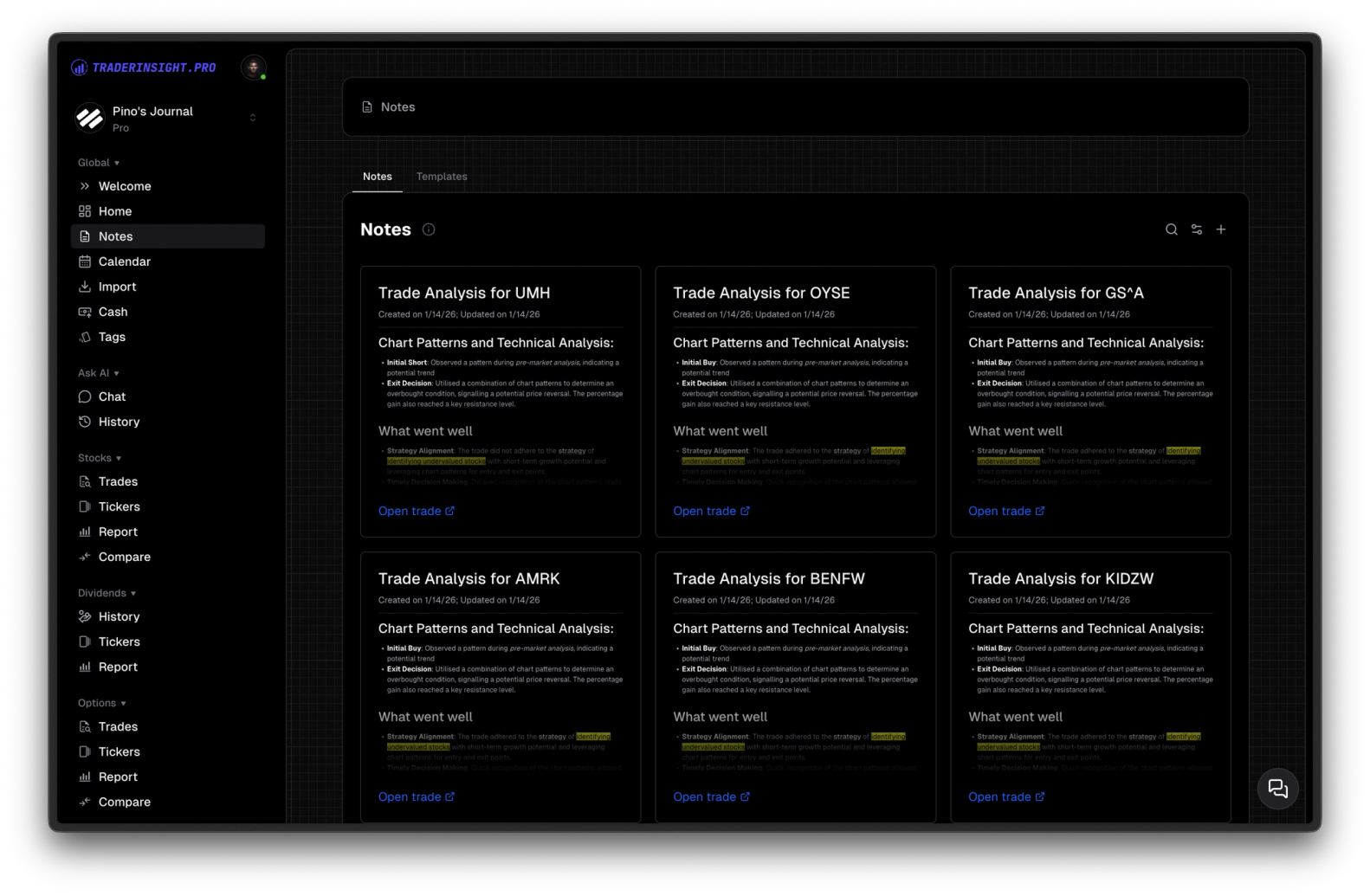
Go to the notes page - this is your central hub. Here you see every note you’ve ever created: global ones (standalone strategy ideas, market recaps, psychological observations) and trade-connected ones. Search, sort, filter - all your thinking in one spot.
When you open any individual trade, only the notes linked to that specific trade appear. No clutter. Just the relevant pre-trade plan, post-trade review, emotional snapshot, or lessons learned - right inside the trade view.
Like Notion - but for traders
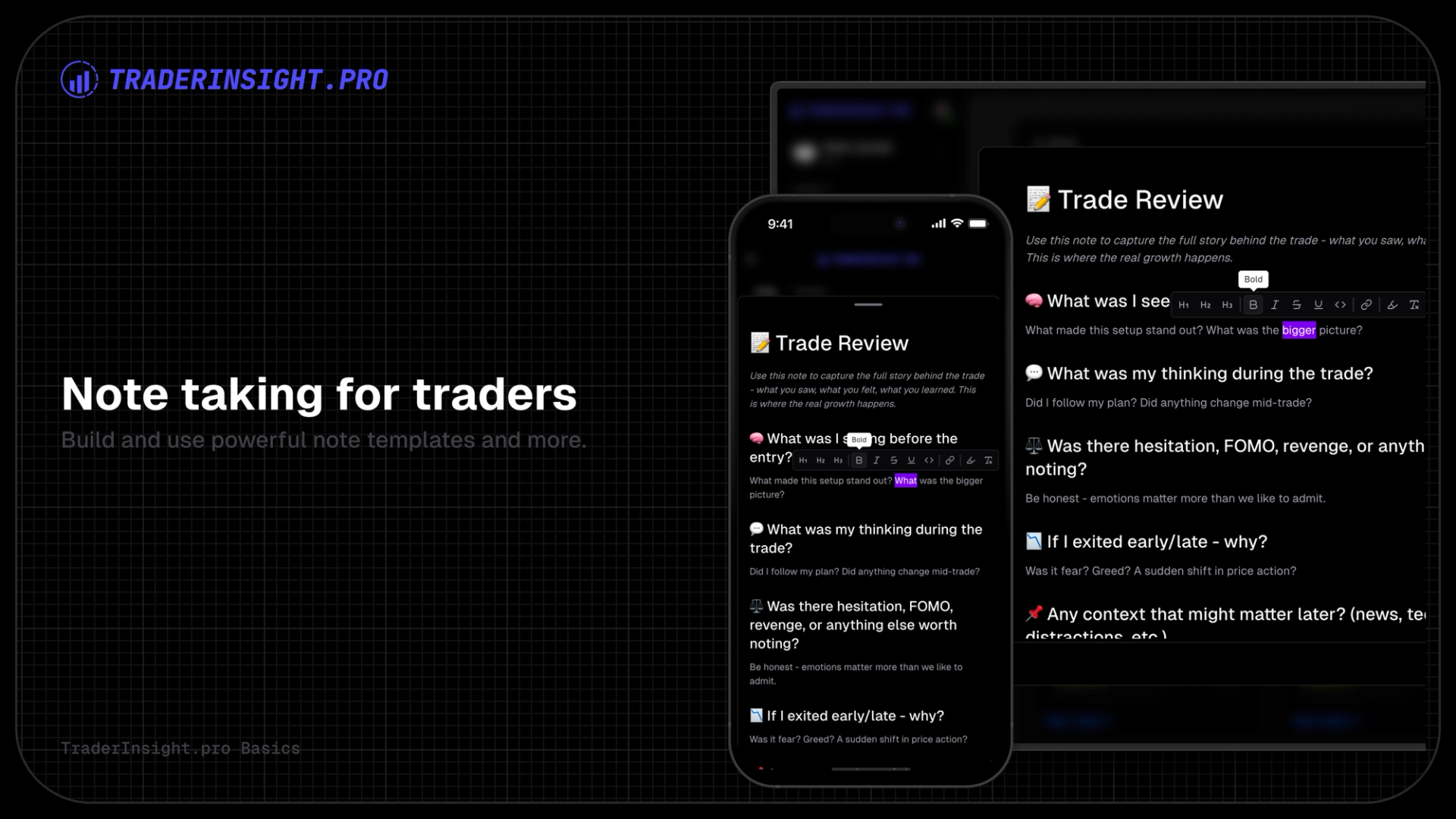
Write fast, write deep:
- Full Markdown + rich text toolbar
- Headings, bold, italics, bullets, numbered lists, tables
- Code blocks, quotes, embedded links
- Insert images (chart screenshots, setup visuals)
- Slash command menu (/) for instant blocks
It’s flexible enough for long analyses and quick one-liners, but optimized for trading - fast load, no distractions, always ready when you need to capture a thought mid-session.
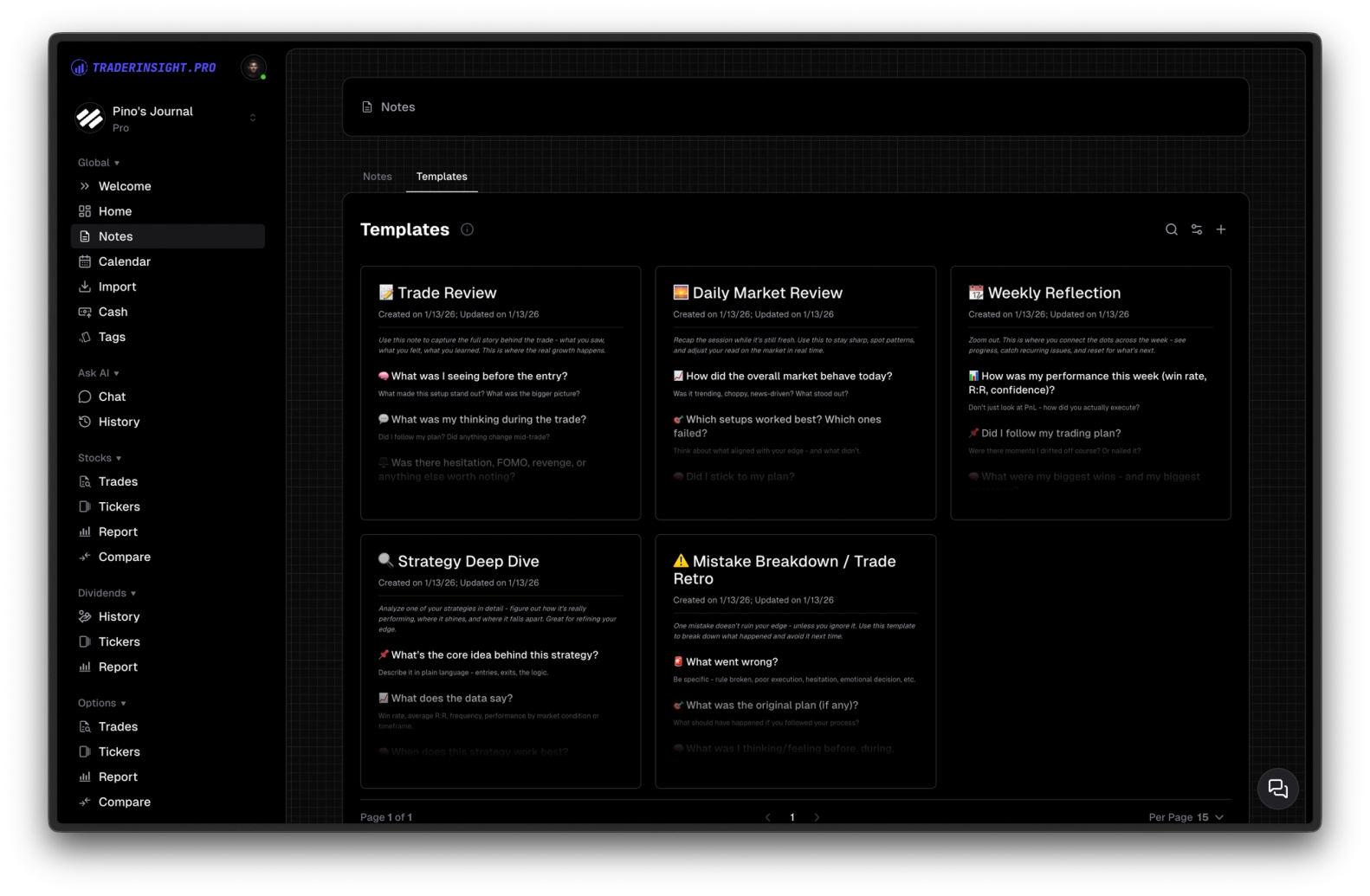
Note Templates
Every new account gets a free set of battle-tested templates added automatically at sign-up. When creating a note:
- Click “New Note”
- Pick a template in one click
- The structure loads instantly (questions, sections, tables pre-filled)
Common included templates:
- Trade Review: “Setup?”, “Entry/Exit Reason?”, “What Went Well?”, “What to Improve?”
- Pre-Trade Checklist: Risk rules, position size, targets/stops, conditions
- Post-Mortem: Outcome breakdown, rule adherence, emotional impact
- Weekly Recap: Key events, bias, lessons
- Strategy Outline: Rules, invalidation, expected R:R
- Emotional Journal: Mood, confidence, distractions
- Setup Journal: Pattern description, historical notes
Edit, duplicate, or create your own anytime. Use them daily for discipline and speed - no more blank-page syndrome.
Bottom Line
Notes aren’t an afterthought. They’re the difference between repeating mistakes and turning experience into edge. With one central hub, trade-specific context, powerful formatting, and reusable templates, TraderInsight.pro makes journaling actually useful - not a chore.
Head to notes. Pick a template. Write one note today - link it to a recent trade if it fits.